 WorkBook
A shift is one cashier's time on a till, from the cash they start with to the cash they hand over. At the end you count the drawer, and WorkBook compares your count with what the sales say should be there.
Before you start.
- Finish the current sale, or hold it. The till will not close a shift with a sale open.
- Count the cash first. You enter the count before you see the expected amount.
Steps.
On the till, choose More.
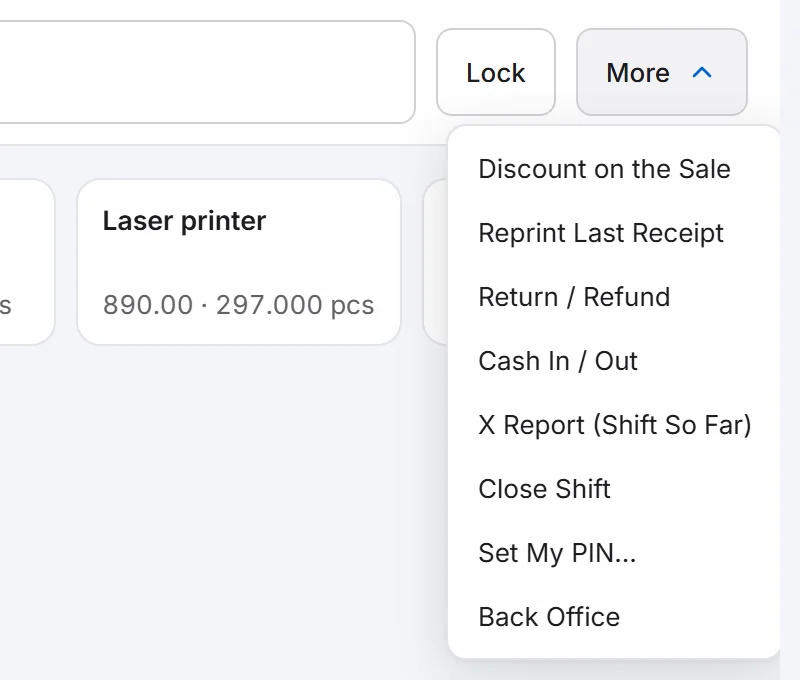
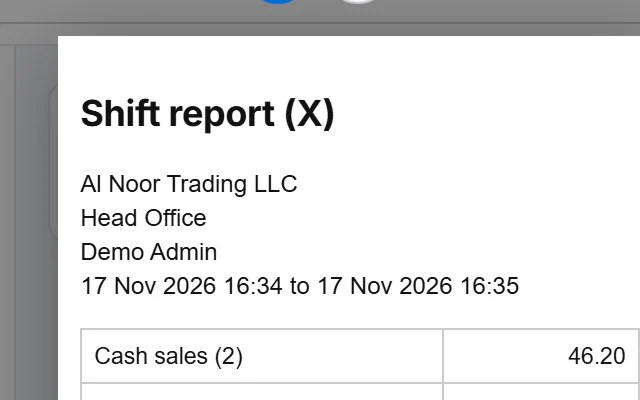
Managers can first choose X Report (Shift So Far) to see the sales so far without closing. It shows cash sales, Opening float and Cash expected.
Choose Close Shift.
Under Cash counted, type all the cash in the drawer, including the float. Add a Note if you want one.
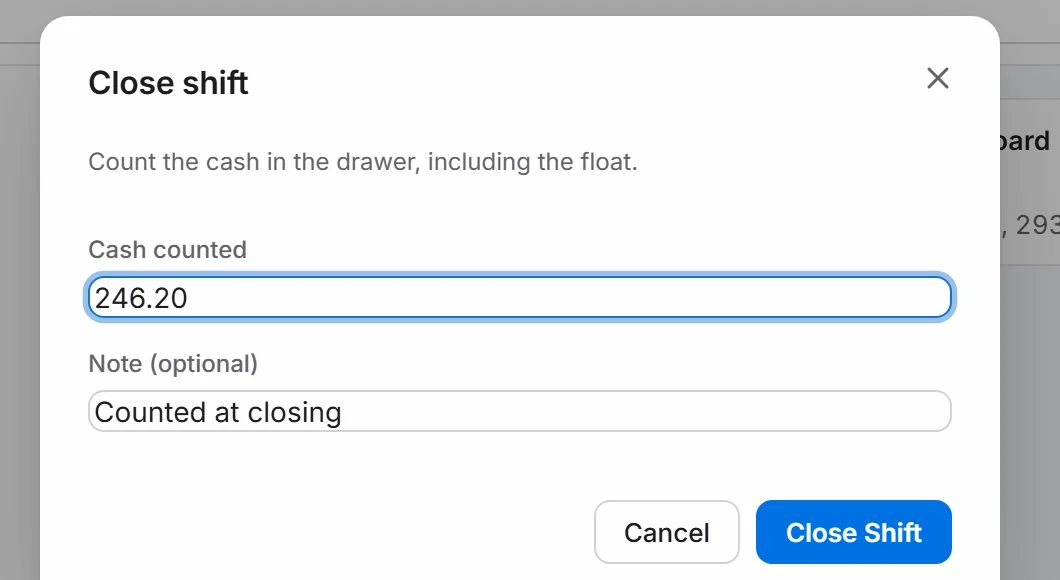
Choose Close Shift.
The shift report (Z) opens. It shows Cash expected, Cash counted and the Difference. Print it or download it with the icons at the top.
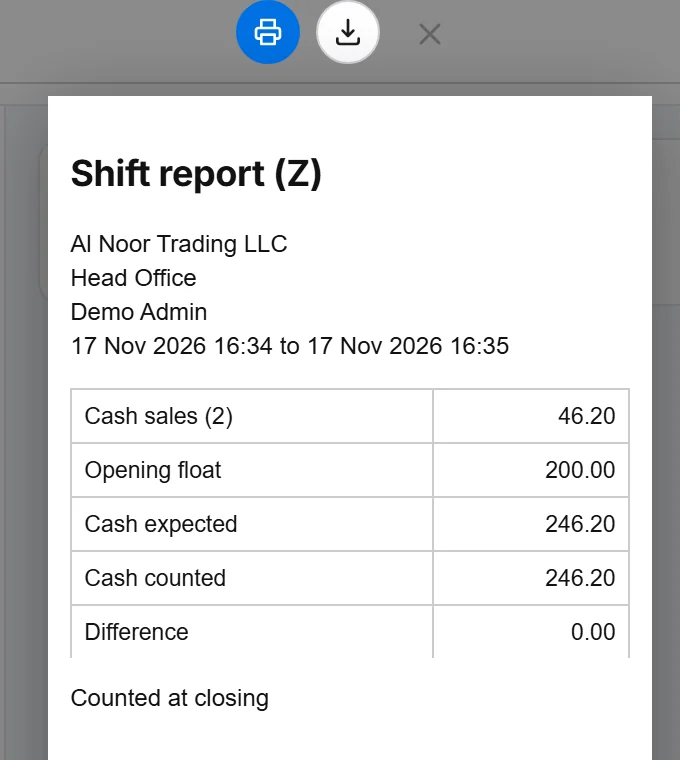
Close the report. The till asks for the opening float, ready for the next shift.
Good to know.
- Use Cash In / Out in the More menu when you move cash in or out of the drawer during the shift, for example a drop to the safe. It is included in the expected amount.
- If your count does not match, a manager enters their PIN to approve the difference.
- The shift belongs to one cashier. When another cashier takes over, they open their own shift.
Related.
- Set up a till and cashier PINsAdd the till under Settings, then Tills, enter its code on the cash counter computer under This Device, and let each cashier set a PIN with More, Set My PIN.
- Keep selling when the internet is downThe till keeps taking cash sales offline and shows Offline with the number pending. When the connection returns, it sends them on its own.
- Issue a credit note for returned goodsOpen the invoice, choose Return or correct, then Return / Credit. Enter the quantity returned and choose Post return to issue a tax credit note.