 WorkBook
A credit note takes back all or part of an invoice, for goods returned or a price that was wrong. In the UAE it is a tax credit note, so it also corrects the VAT.
Before you start.
- The invoice must be posted.
Steps.
Open Sales, then Invoices, and open the invoice.
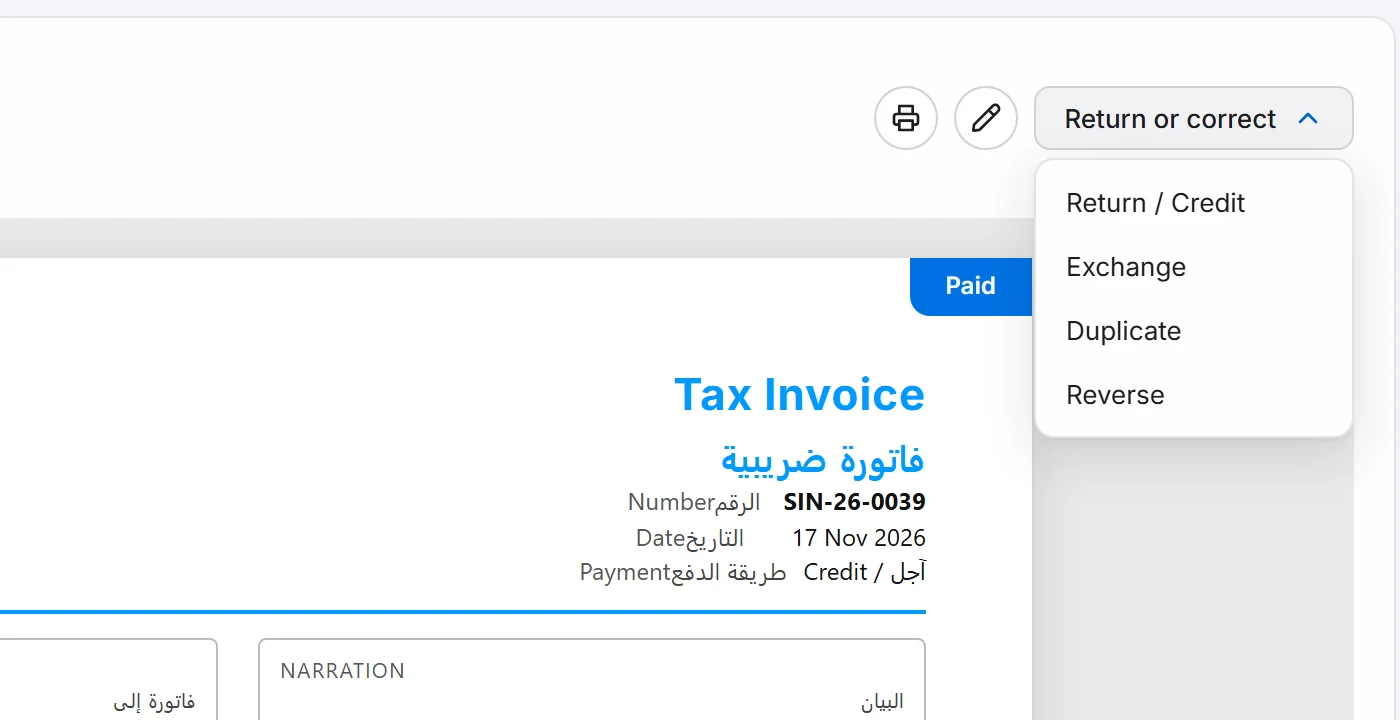
Choose Return or correct, then Return / Credit.
Choose the Credit-note reason: Goods returned, Price / value reduction, Invoice error correction or Full cancellation of remaining invoice.
In Return qty, type how many of each item come back. Can Return shows the most you may enter. The totals update as you type.
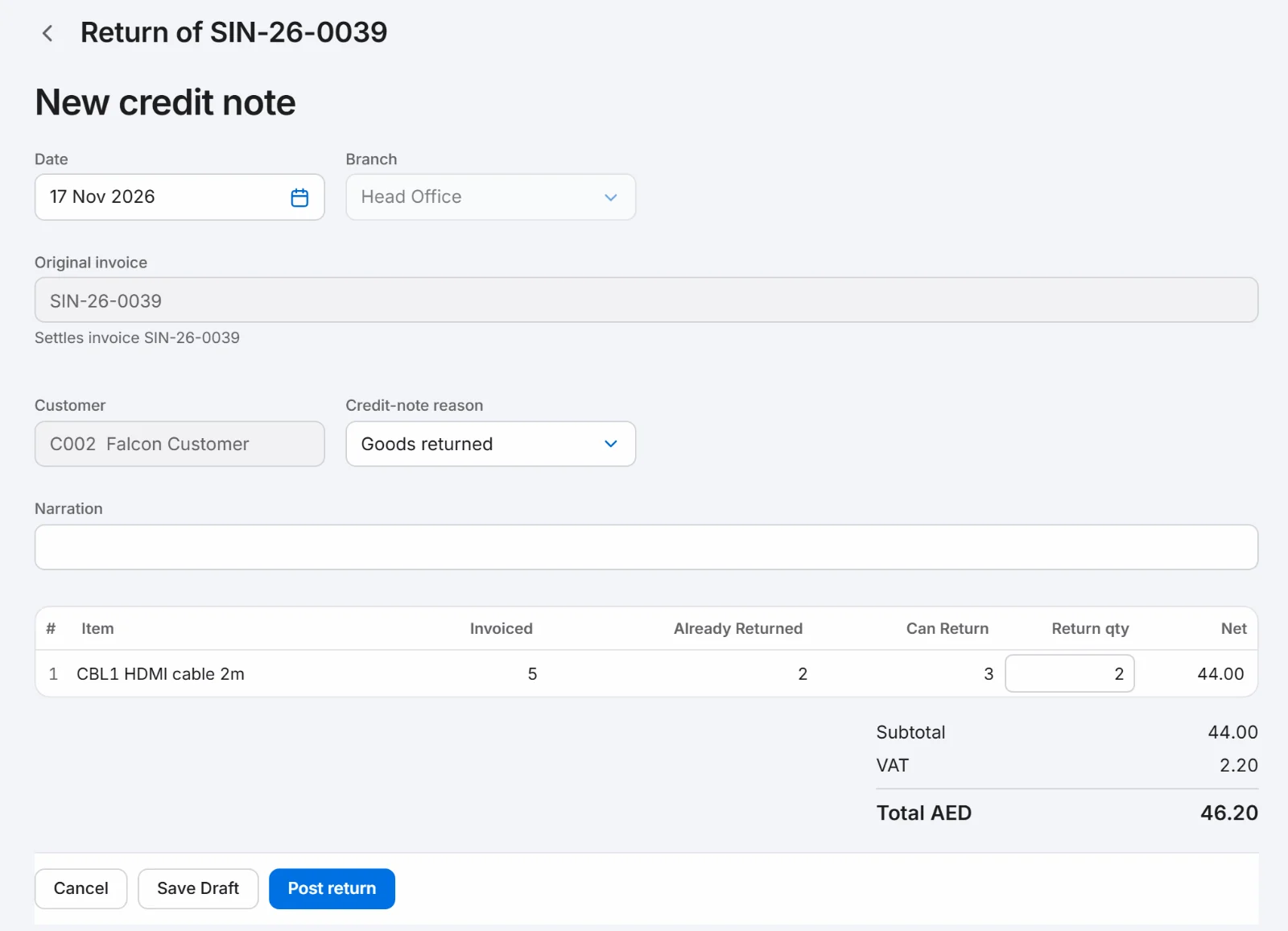
Add a Narration if you want one, then choose Post return.
The tax credit note opens with a number such as SCN-26-0001, marked Against the invoice.

Good to know.
- You can return from the same invoice more than once. Already Returned shows what has gone back so far.
- Return or correct also offers Exchange, Duplicate and Reverse for other fixes.
- Choose Save Draft to keep the credit note without posting it.
Related.
- Record a payment from a customerOpen the invoice and choose Record payment. Check the amount and how it was paid, then choose Post. The invoice shows Paid.
- Create a quote and turn it into an invoiceOpen Sales, then Quotes, choose New quote and save it. When the customer agrees, choose Convert to invoice, check the draft and choose Post.
- Email an invoice to a customerOpen the invoice, choose Print, then the envelope. Check To, Subject and Message, then choose Send. The PDF is attached for you.