 WorkBook
End-of-service gratuity is money you owe an employee when they leave. WorkBook sets a share aside every month when you post payroll, so your accounts show it.
Before you start.
- Each employee needs a joining date and a basic salary. Enter them under Settings, Setup, Staff, then HR and payroll.
Steps.
Post the month's payroll. The preview already shows the Gratuity provision for the month.
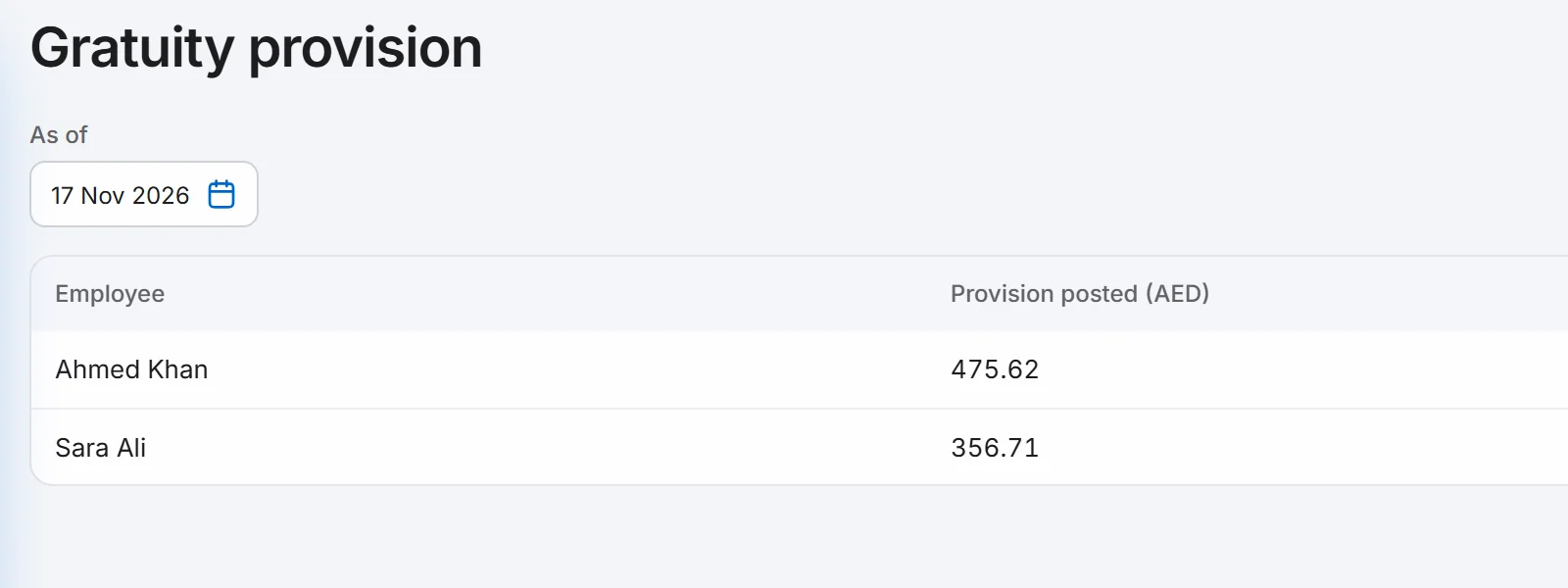
Open Reports, then Gratuity Provision under Payroll.
Set As of to the date you want. Each employee shows the provision posted up to that date.
Good to know.
- You do nothing extra. Each payroll run posts the amount to a gratuity expense account and a gratuity provision account in the same journal.
- The amount is an estimate from the joining date and basic salary only. It uses 21 days of basic pay for each of the first five years and 30 days for each year after, with a daily rate of basic salary divided by 30. It never goes above two years of basic salary.
- Reversing a payroll run takes its gratuity out of the report.
- Ask your accountant to confirm the method. WorkBook marks the gratuity assumptions as waiting for accountant approval.
Related.
- Run payroll and make the WPS filePreview the month, post the payroll run, then choose Export WPS SIF on the run. WorkBook makes the file; you send it to your bank.
- Add users and set their rolesOpen Settings, then Users and Roles, choose New User, pick a role and, if you like, one branch. A user limited to a branch works only in that branch.