 WorkBook
A payroll run turns your staff's salaries into one posted journal for the month. It also makes the WPS (SIF) file your bank asks for.
Before you start.
- Open Settings, then Setup, then Staff. Next to each employee, choose HR and payroll. Fill in the joining date, bank IBAN, employee bank routing code, MOL personal number and the salary lines, then Save. An employee with no joining date is left out of the run.
- Open Settings, then Setup, then Payroll. Choose the pencil and enter the employer MOL number (13 digits) and the employer bank routing code (9 digits).
- You need the Payroll permission.
Steps.
Open Accounting, then Payroll, then choose New payroll run.
Pick the Salary month. Posting branch starts on the branch you are working in; change it if the payroll posts to another. If staff worked overtime, enter the Overtime rate (AED/hour).
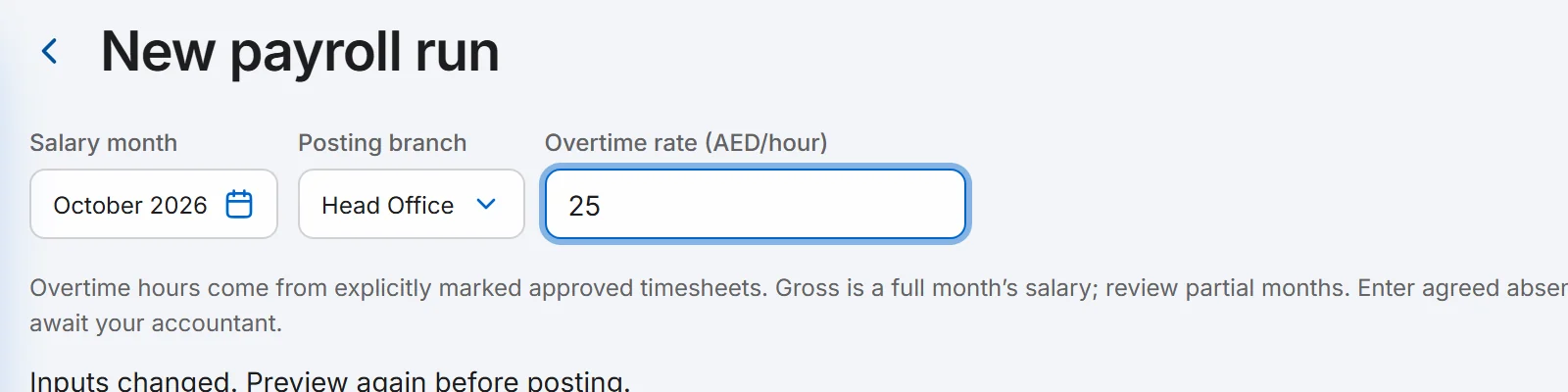
Choose Preview Payroll. Check each employee's gross and net pay. Type any Bonus, Advance recovery, Absence deduction and Absence days in the row, then preview again.
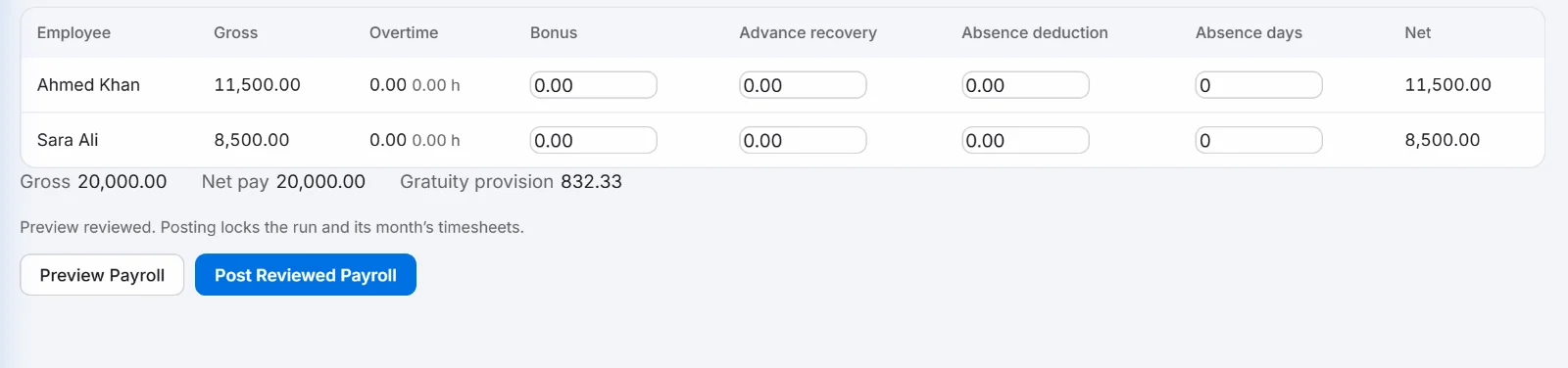
Choose Post Reviewed Payroll, then Post Payroll to confirm.
On the run, choose Export WPS SIF. The file downloads to your computer.
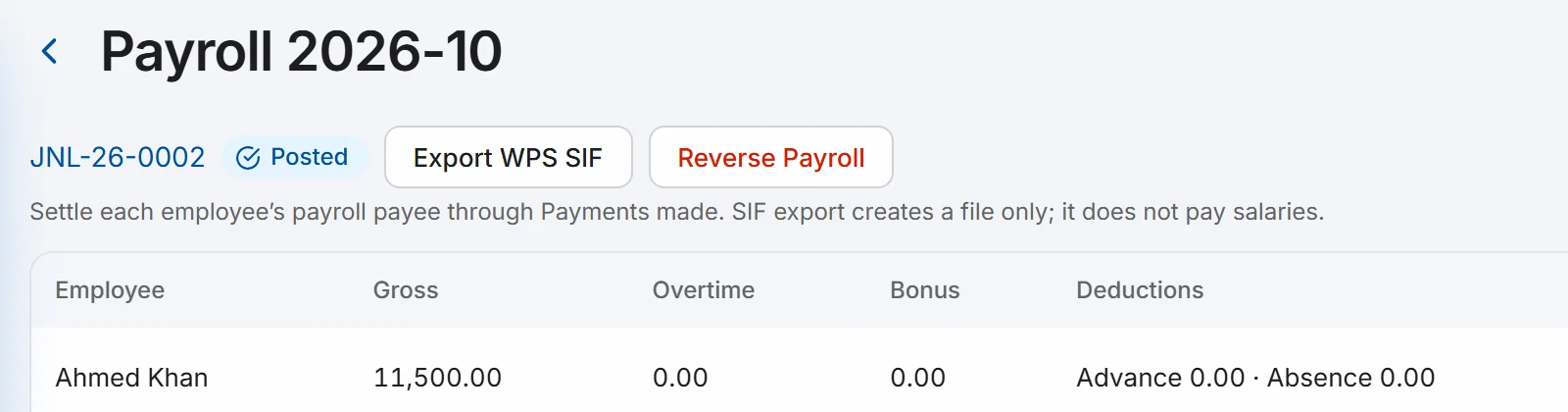
Send the file to your bank in the way your bank asks.
Good to know.
- Exporting the file does not pay anyone. Pay each employee through Payments made; every employee gets a payee when the run posts.
- The file stops with a message if an MOL number is not 14 digits, a routing code is not 9 digits, an IBAN is not a valid UAE IBAN, or two employees share an MOL number. Fix the employee details, then reverse the run and post it again.
- Gross is a full month's salary, so check it for staff who joined mid-month. Overtime hours come from approved timesheets.
- A month can be posted once. To change it, choose Reverse Payroll on the run, then post a new one.
- WorkBook marks the file layout as waiting for your accountant and bank to approve it. Check the first file with your bank before you rely on it.
Related.
- See your gratuity provisionWorkBook adds each month's gratuity to the payroll journal. Open Reports, then Gratuity Provision, to see what is set aside for each employee.
- Add users and set their rolesOpen Settings, then Users and Roles, choose New User, pick a role and, if you like, one branch. A user limited to a branch works only in that branch.
- Record a payment from a customerOpen the invoice and choose Record payment. Check the amount and how it was paid, then choose Post. The invoice shows Paid.