 WorkBook
Timber is priced by the cubic foot, but you count it in pieces of each size. Tiles are priced by the box, but you measure the floor in square metres. WorkBook does the sum for you on every line.
Before you start.
Tiles use a ready-made profile, Tiles (boxes). You can see it, and add your own, under Settings, Measurement Profiles.
Steps.
Click Inventory, then Items and Services, then New item.
For timber, enter a Code and Name, and set Sold by to CFT (by size). Choose the accounts, then click Save.
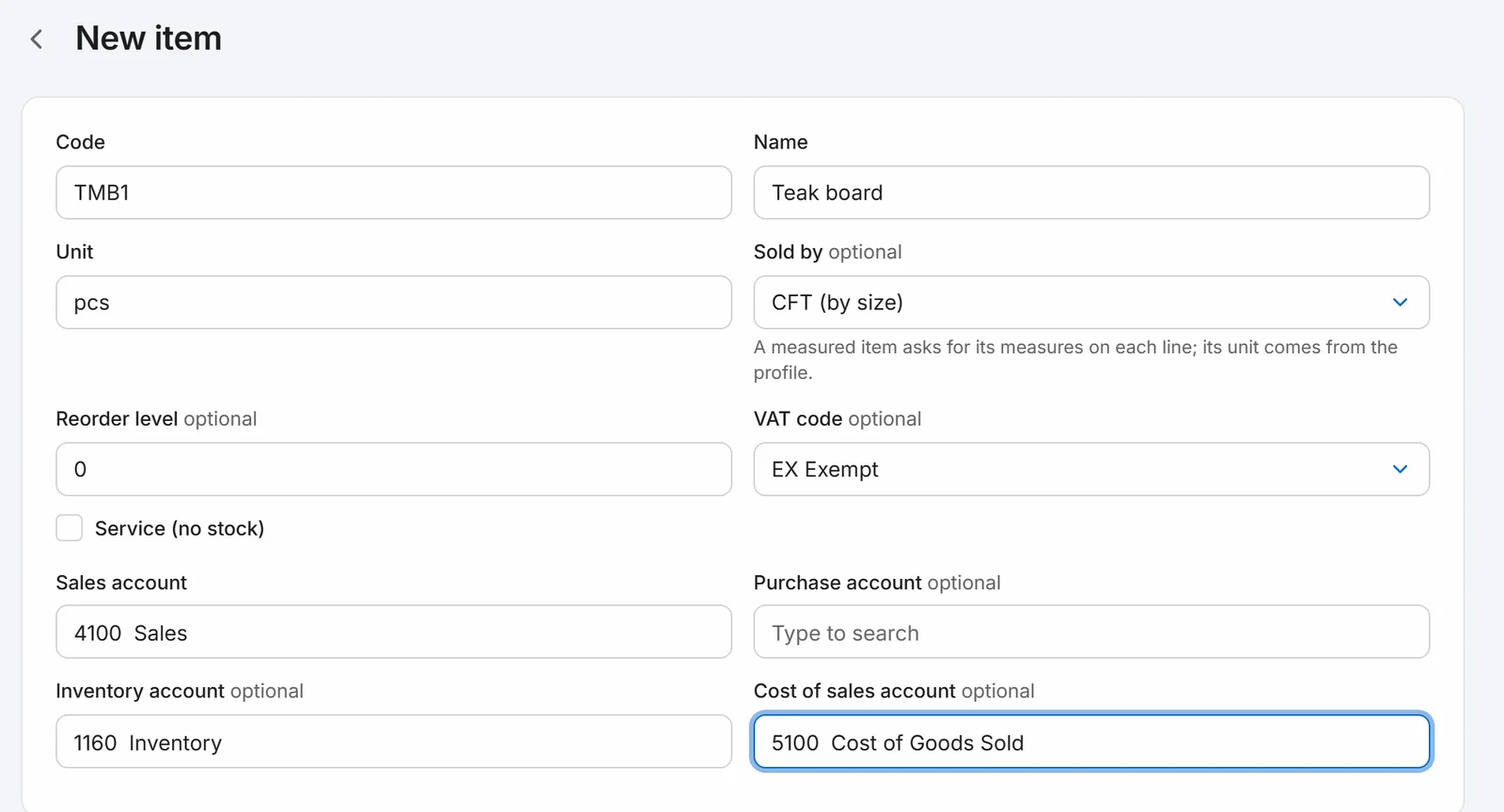
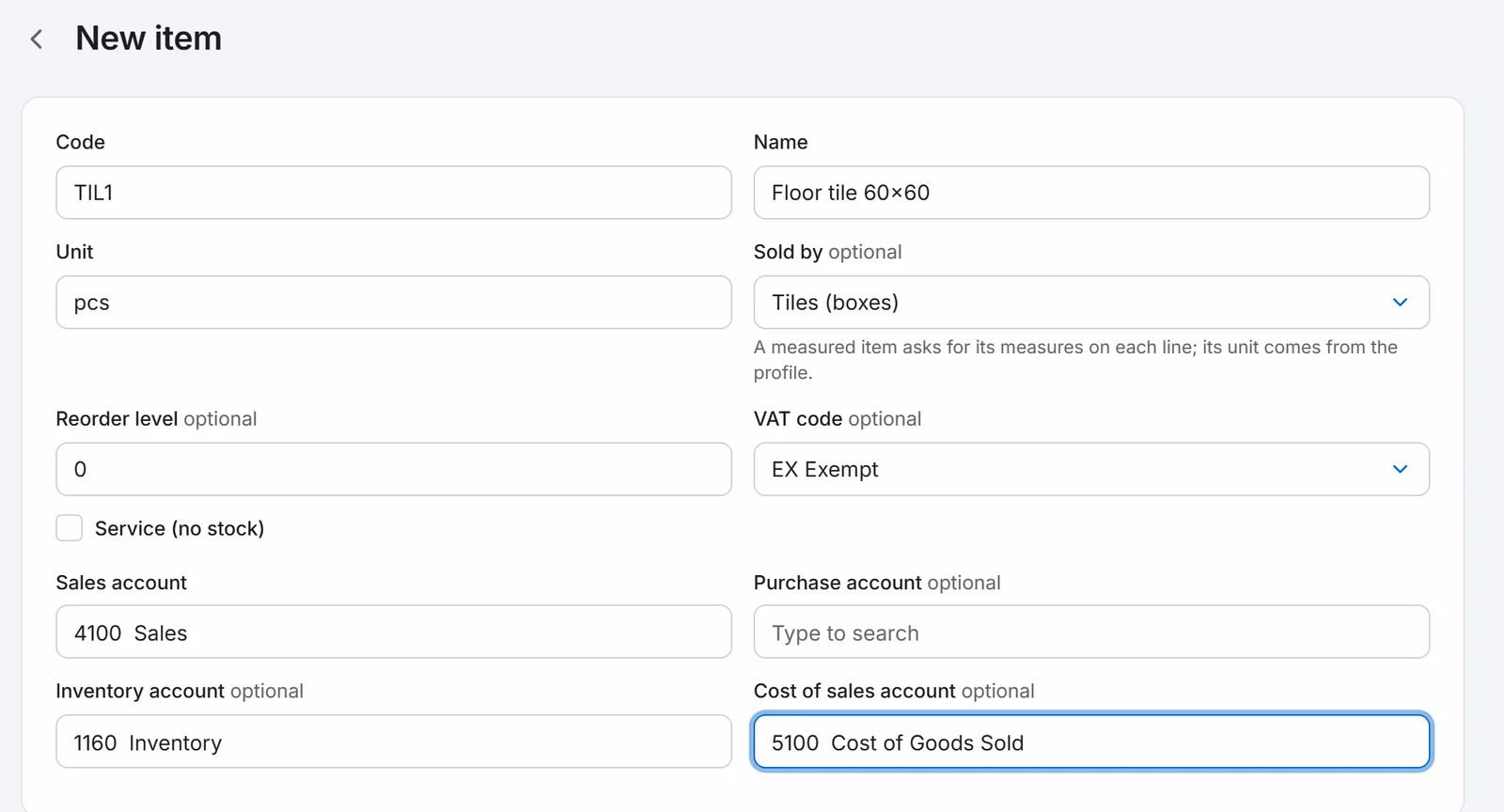
For tiles, make another item and set Sold by to Tiles (boxes).
Click Purchases, Bills, New bill, and choose the supplier. Add the timber and type its T (in), W (in), L (ft) and Pcs. Enter the Price for one cubic foot. The line shows the cubic feet and the amount.

Add the tiles and type the Area (in m²), Per box (m² in one box) and Wastage % in the small boxes under the item. WorkBook rounds up to whole boxes. Enter the Price for one box.

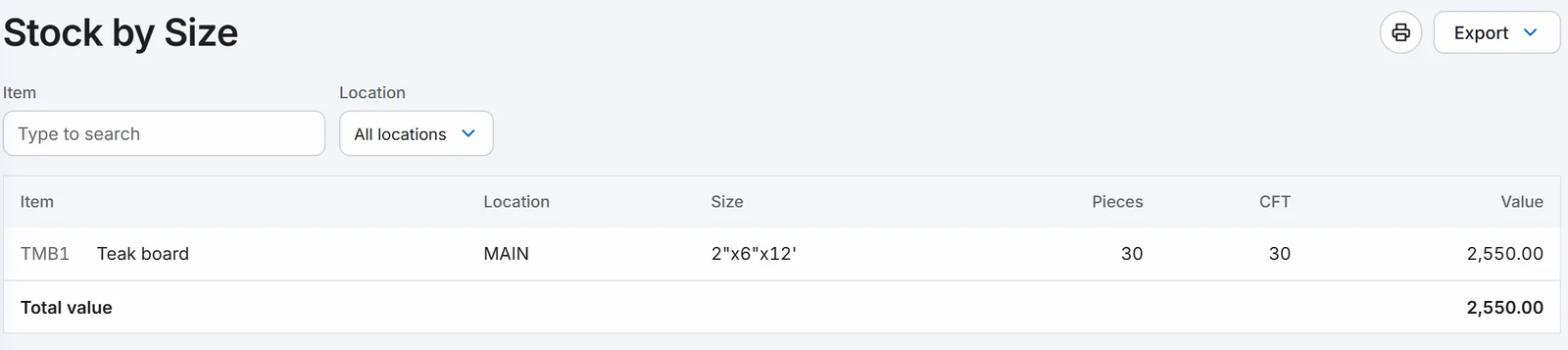
Click Post. To see the timber you hold, click Reports, then Stock by Size.
Good to know.
- Cubic feet are thickness × width × length × pieces ÷ 144, to three decimals.
- On a tile line you can skip the sum and type the number of boxes instead.
- Timber stock is kept per size. Stock of any other measured item is kept as a total.
Related.
- Enter a supplier billOpen Purchases, then Bills, then New bill. Choose the supplier, add what you bought and click Post. The bill gets its number and shows on what you owe.
- Move stock between locationsOpen Inventory, then Stock Transfers, then New transfer. Choose where the stock leaves and where it goes, add the items and click Post.